 Macro Recorder & Auto Clicker
Record it once. Let the computer repeat it.
Macro Recorder turns your clicks, typing and scrolling into steps you can read and edit, then replays them on time, every time. The auto clicker handles the simple jobs.
Get it on the Microsoft Store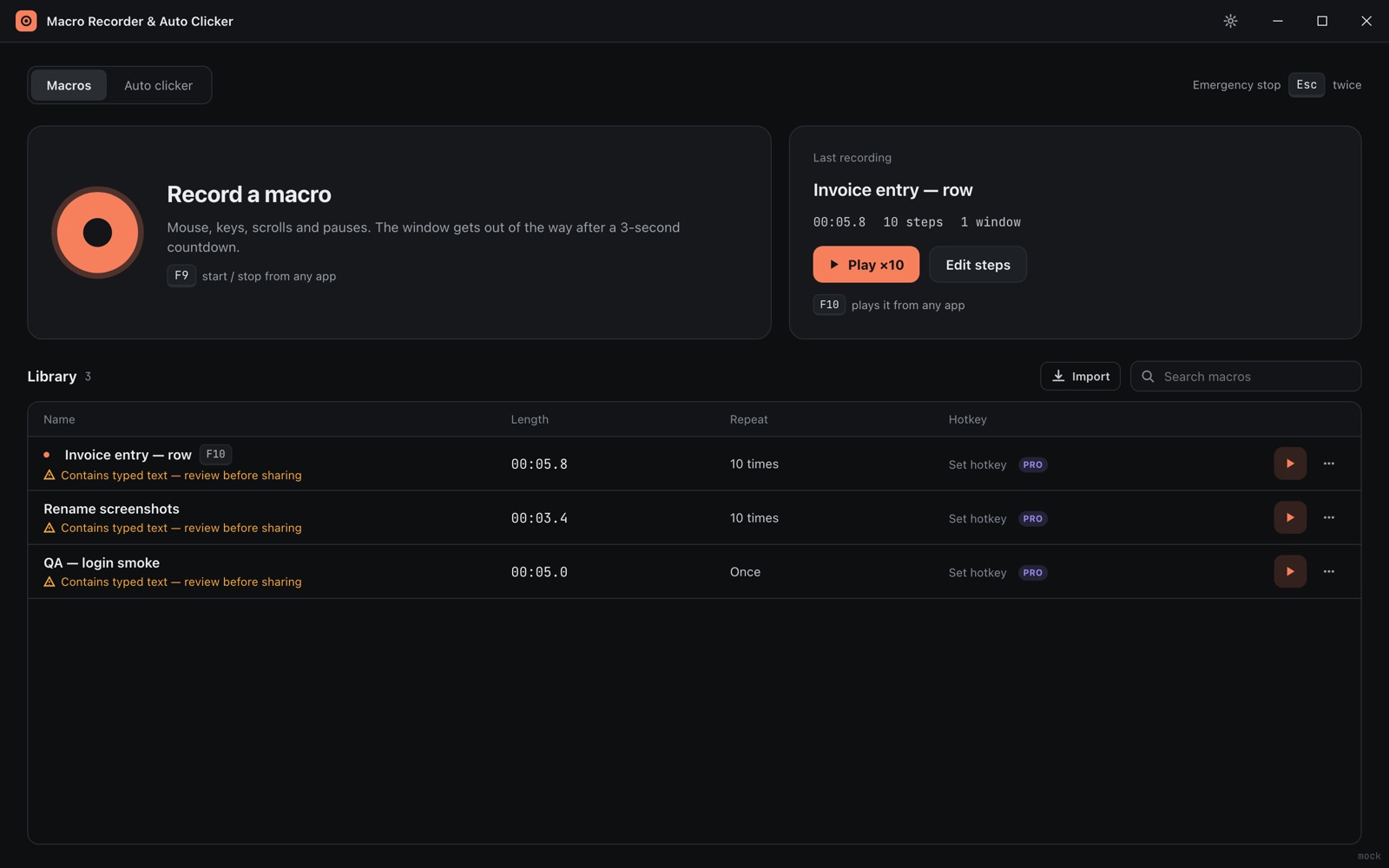
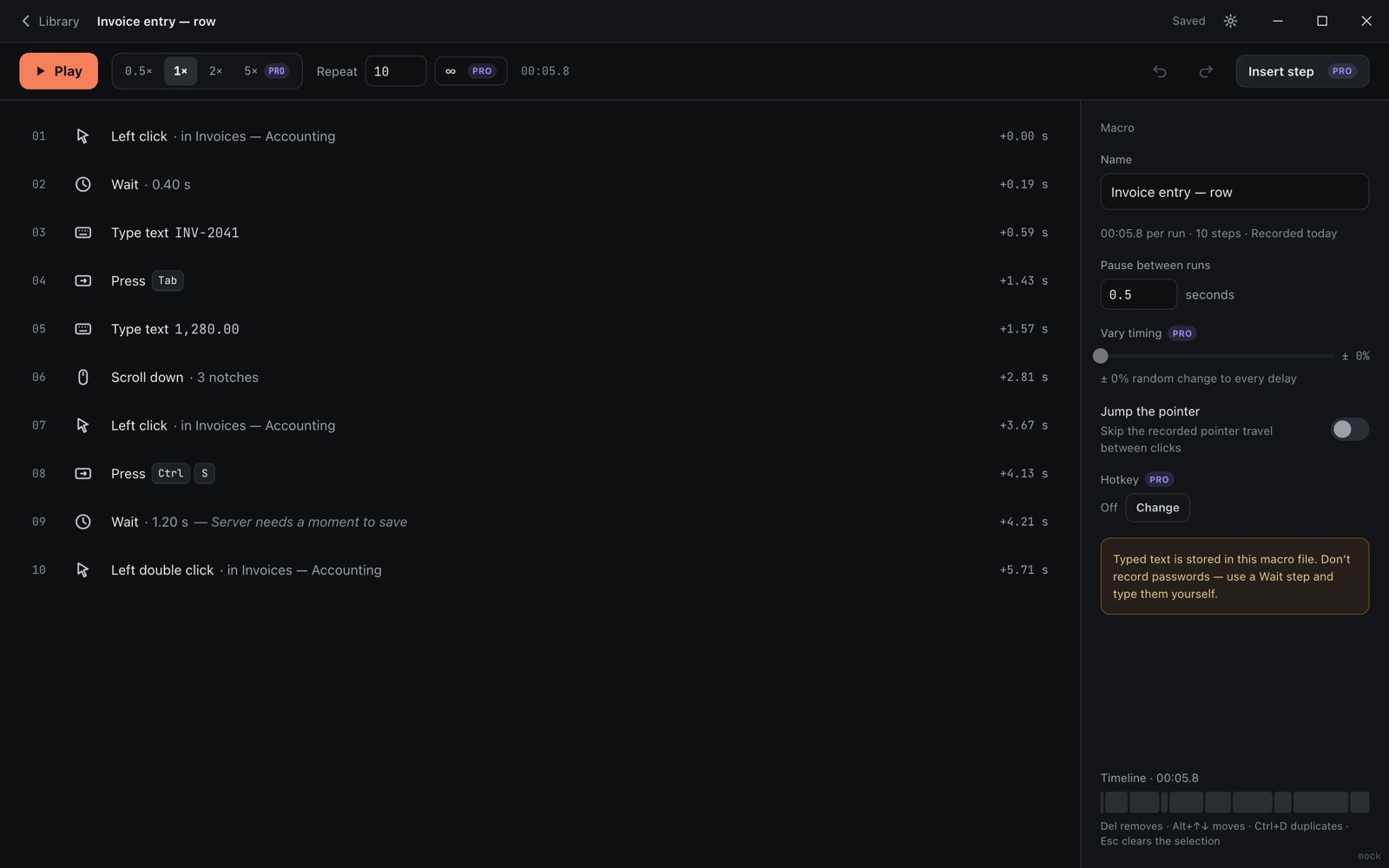
Steps you can read, replays you can trust
Not a black box of mouse coordinates.
Readable steps
"Left click in Invoices", "Type INV-2041", "Press Ctrl+S". Fix a step instead of recording again.
On time
Replays keep to the recorded rhythm within a millisecond on average, even across long runs.
Stops when you say
Press Esc twice, or your shortcut, from any app. The window shrinks to a small bar out of the way.
Auto clicker
Click every N milliseconds, seconds or minutes, at the pointer or a fixed spot; stop after N clicks or minutes.
Honest about typing
A warning when a macro contains typed text, so passwords never end up in a file.
Your macros, your files
.macrorec files on your computer; import, export and share them.
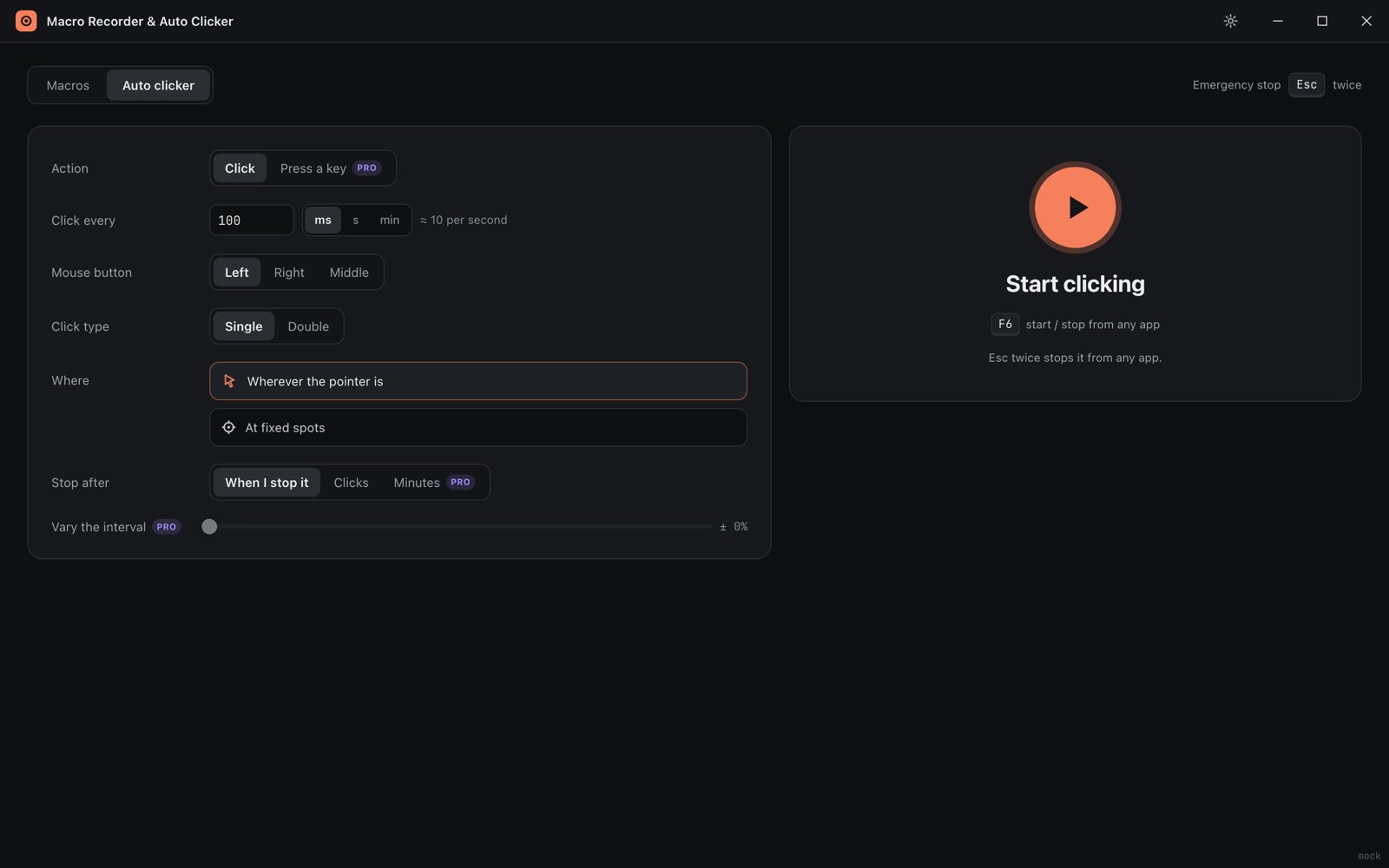
The auto clicker, done properly
Pick the interval, button, single or double click, and where. Pro adds several spots, a key presser and random timing.
Free, with a one-time Pro
| Free | Pro ($4.99 once) | |
|---|---|---|
| Record, edit, replay | Yes | Yes |
| Repeat | Up to 10 times | Unlimited or for N minutes |
| Speed | 0.5× to 2× | 0.25× to 20× |
| Random timing, hotkey per macro, several click spots, key presser | – | Included |
On the Microsoft Store for Windows 10 and 11.